

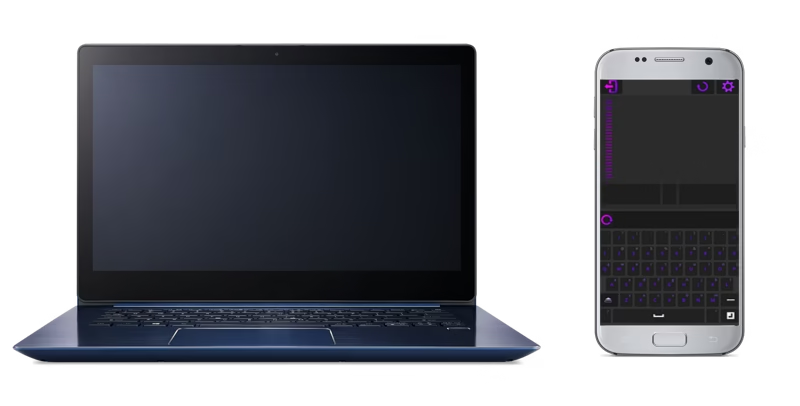
Mouse AIO (WiFi/USB) — Google Play Description
Turn your Android phone or tablet into a fast and simple remote mouse + keyboard for Windows 10 and 11.
With Mouse AIO (WiFi/USB), you can control your PC over Wi-Fi or USB, use your phone as a smooth touchpad, type with a full keyboard, and launch apps using desktop icons — lightweight, quick, and reliable.
🖱️ Remote Mouse + Keyboard for Windows
Mouse AIO focuses on the essentials for daily PC control:
Touchpad Mouse
Smooth cursor control with adjustable speed
Scroll, left/right click support
Designed for comfort and precision
Full Keyboard
Type in any app on your PC
Supports Windows keys including Ctrl, Shift, Alt, Win and F1–F12
Desktop Icons Launcher
Access your favorite apps, folders, and shortcuts in one tap
Perfect for sofa/bed control, meetings, or quick navigation
🔗 Simple Setup (Wi-Fi or USB)
Install Mouse AIO Server on your Windows 10/11 PC
Start the server
Open Mouse AIO (WiFi/USB) on your Android device
Tap Connection to find your PC on the same Wi-Fi (or connect via USB tethering)
Select your PC and start controlling instantly
Mouse AIO Server runs locally to keep things fast and private.
🔒 Secure and Private
Works on your local network only (no cloud relay)
No external servers required
Works without internet when using USB tethering
Mouse AIO does not upload your personal files
⚡ Performance and Compatibility
Optimized for Windows 10 and Windows 11
Works on Android 7.0+
Low battery and CPU usage
Stable connection and responsive input
✅ Key Features Summary
✅ Remote mouse / touchpad for Windows
✅ Remote keyboard with full keys (Ctrl/Alt/Win/F1–F12)
✅ Desktop icons to launch apps and shortcuts
✅ Connect via Wi-Fi or USB
✅ Lightweight, fast, and reliable
✅ Private local connection (no cloud)
🧑💻 How to Start
Download and install Mouse AIO Server on your Windows PC.
Open Mouse AIO (WiFi/USB) on Android → tap Connection → select your PC → done.
📢 Why Choose Mouse AIO
Mouse AIO is built for users who want the core features without extra complexity:
a smooth remote mouse, a real keyboard, and quick access to desktop icons — perfect for work, home, or presentations.
📲 Download Now
Install Mouse AIO (WiFi/USB) today and control your Windows PC with your phone — fast, simple, and secure.