
Keyboard Control turns your Android phone into a wireless keyboard and mouse remote for your Windows PC.
Designed for productivity, presentations, media PCs, classroom use, office work, and everyday desktop control, Keyboard Control lets you control real Windows keyboard and mouse actions from your Android phone over your local Wi-Fi/LAN network.
To use the app, install and run Keyboard Control Server on your Windows PC, then connect the Android app using automatic discovery, QR code pairing, or manual IP connection. Once connected, your phone becomes a practical remote keyboard and touchpad controller for your computer.
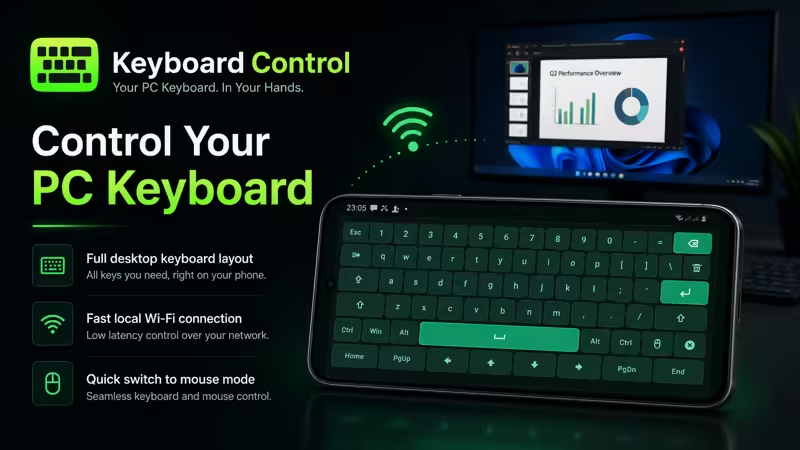
Keyboard Control includes a custom in-app keyboard designed for desktop control. It does not rely on the normal Android keyboard. Instead, it provides a clean keyboard layout with useful Windows and desktop-style keys.
Main features:
• Wireless Android-to-Windows keyboard control
• Mouse remote and touchpad mode
• Local Wi-Fi/LAN connection
• Automatic server discovery
• QR code pairing
• Manual IP connection
• Real Windows keyboard and mouse input through the server
• Custom in-app keyboard layout
• Landscape keyboard screen
• Large touchpad area for pointer control
• Left, middle, and right mouse buttons
• Vibration feedback for key presses
• Simple connection home screen
• Dark premium interface with green accent design
The custom keyboard includes important desktop keys such as:
• Esc
• Ctrl
• Alt
• Win
• Shift
• Caps
• Enter
• Backspace
• Delete
• Arrow keys
• Home
• End
• Page Up
• Page Down
Mouse mode lets you switch from keyboard control to pointer control when needed. You can move the cursor using the touchpad area and use left click, middle click, and right click from your phone.
Keyboard Control is useful for many situations, including:
• Controlling a Windows PC from your phone
• Using your phone as a wireless keyboard
• Using your phone as a mouse or touchpad
• Presentation control
• Media PC and TV-connected computer control
• Classroom and office use
• Desktop setups where your physical keyboard or mouse is not nearby
Keyboard Control works with the Windows companion app, Keyboard Control Server. The server receives commands from your Android phone and injects real keyboard and mouse actions into the focused Windows application.
The app is designed around local network control. Your phone and PC communicate over the same Wi-Fi/LAN network for a fast and practical remote control experience.
Important:
• Requires Keyboard Control Server on a Windows PC
• Phone and PC must be connected to the same local Wi-Fi/LAN network
• Windows Firewall permission may be required for the server
• Input behavior may depend on the focused Windows app or game
• This app is designed for keyboard and mouse control, not full remote desktop streaming
Keyboard Control gives you a clean and professional way to control your Windows PC directly from your Android phone.
Keyboard Control — your Android phone, your Windows keyboard and mouse remote.